
AI Customer Conversation CRM & Automation Platform
Turn every customer conversation into the next clear action.
Rellooma brings WhatsApp and Instagram conversations, customer context, CRM, automation and human handoff into one workspace for teams that sell and support through messaging.
Live channels require the right Meta setup. Your business rules guide what AI may do, and your team can step in at any time.
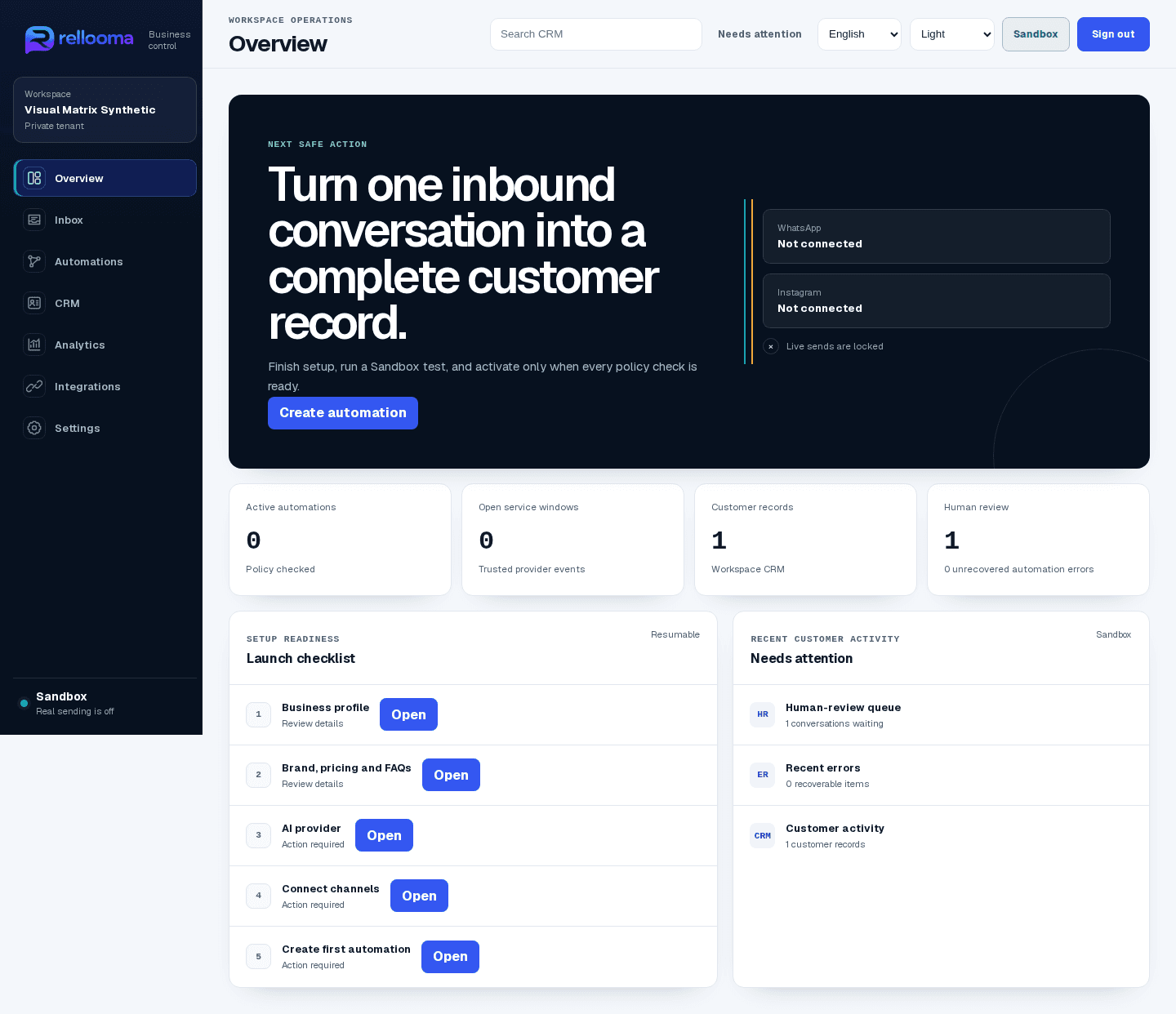
Section 2 · Interactive product proof
Ask Rellooma. See how the work moves.
Choose an Instagram or WhatsApp scenario, ask a product question, and follow the demo trace from context to next action. No customer data is used and nothing is sent to a live channel.
Automated demo · public Rellooma information only · nothing is sent live
The Rellooma mechanism
A conversation becomes useful when its context and owner stay with it.
Conversation → understand → remember → qualify → decide → reply or act → measure and improve
- 01Receive a customer message
- 02Understand the current need
- 03Remember trusted customer context
- 04Qualify and decide with visible evidence
- 05Reply, route or act within policy
- 06Measure the outcome and improve
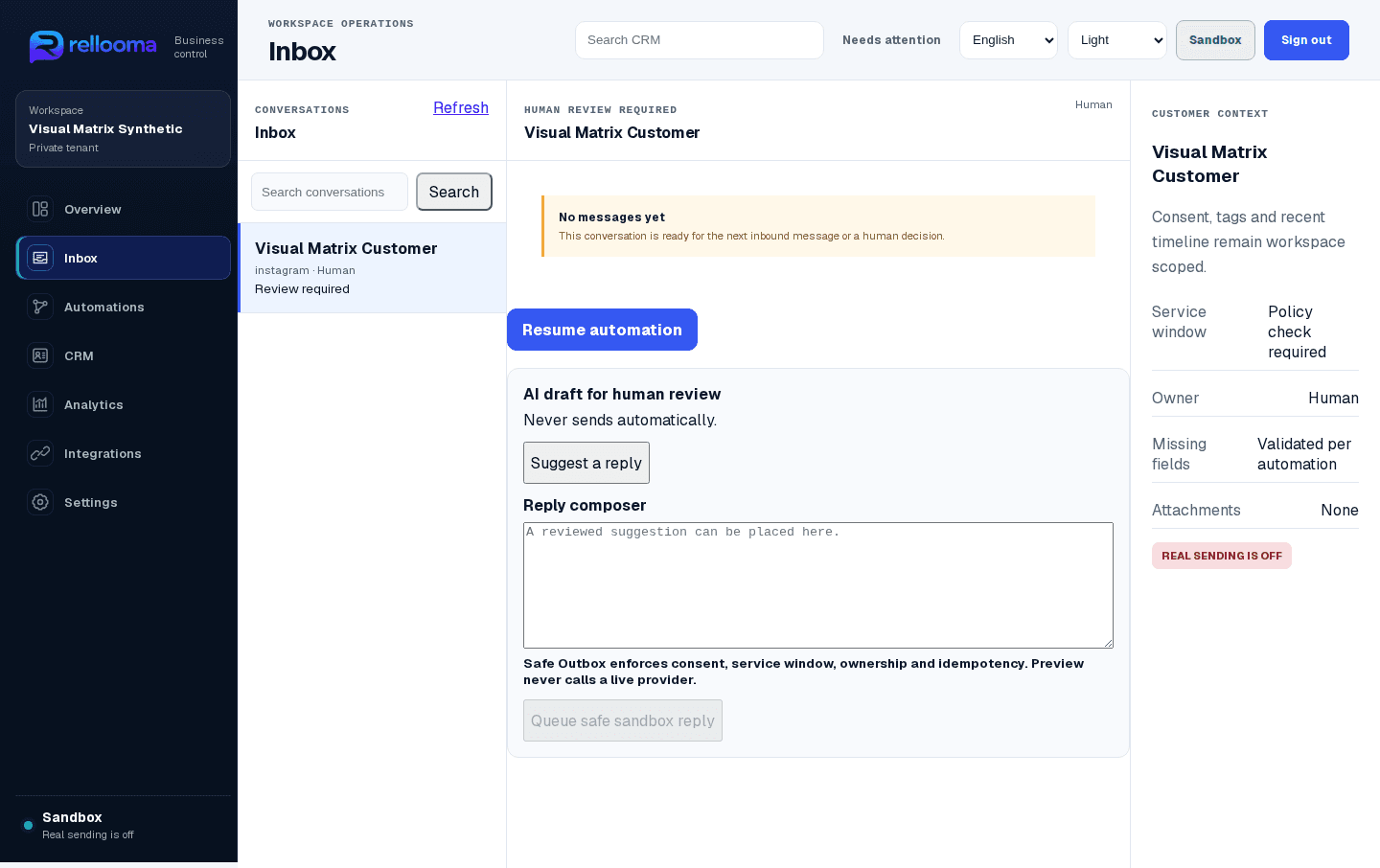
Conversations
One inbox. The full customer story.
Conversations
See WhatsApp and Instagram messages beside the customer details, owner and next step—without switching tools.
Open one conversation and see who owns it, what the customer said and what needs to happen next.
See how it works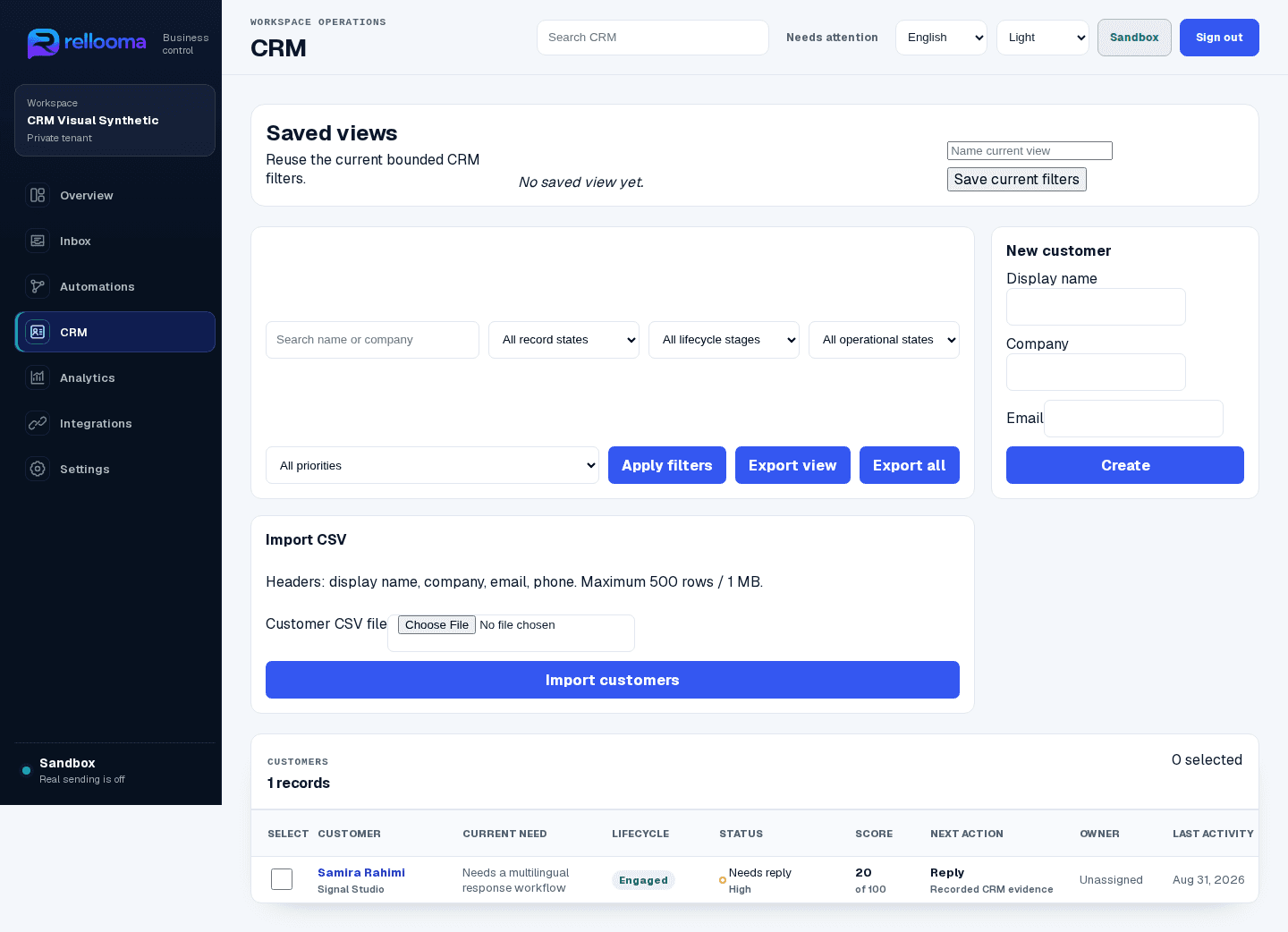
Business Memory / CRM
Your CRM remembers the conversation.
Customer memory
Turn each message into useful customer memory, so the next person knows what happened and what needs attention.
Keep the customer record tied to the conversation, so handoffs begin with context instead of guesswork.
See how it works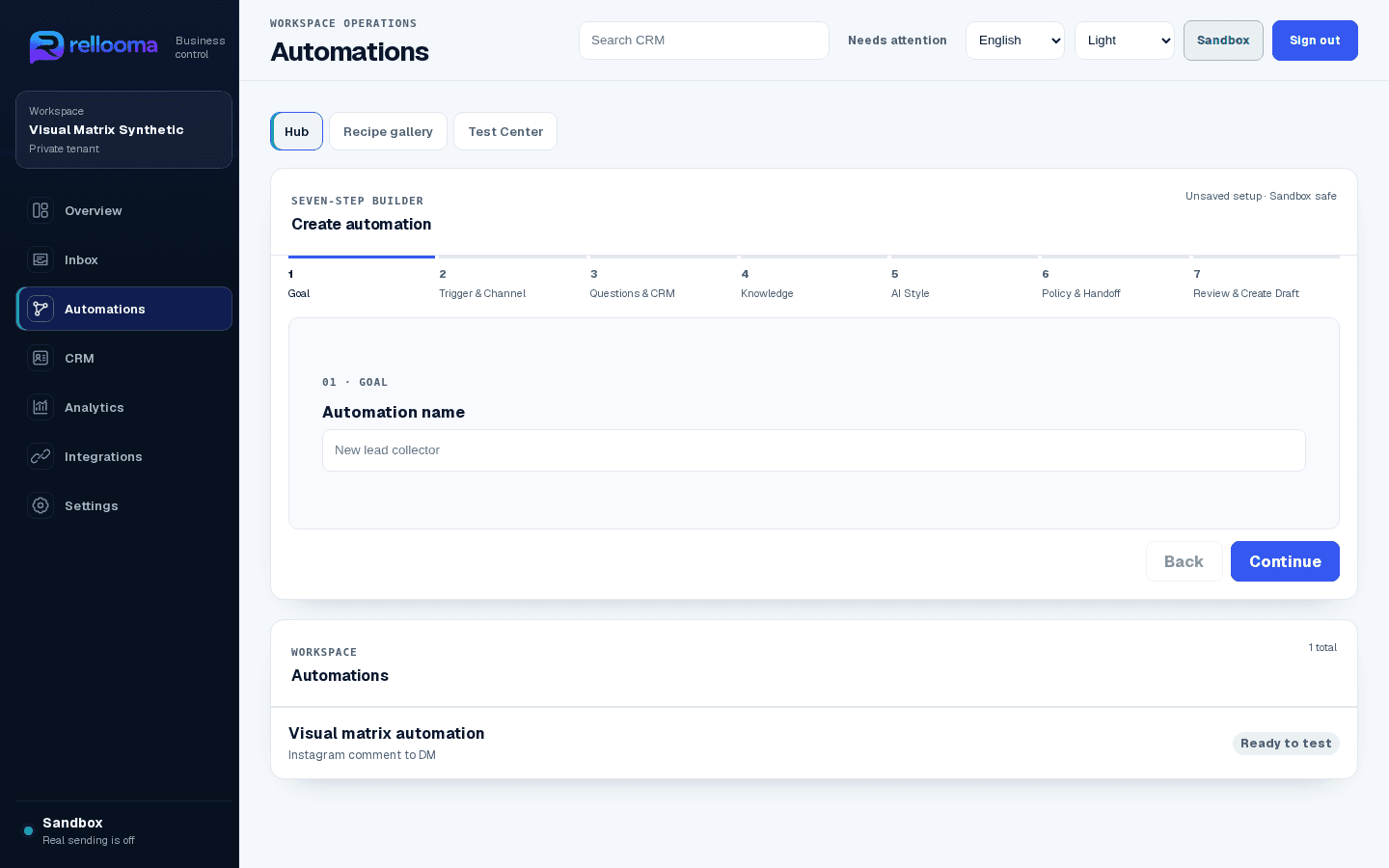
AI Automations
Build the reply flow before it goes live.
Studio
Choose what starts the flow, what to ask, what Rellooma may answer and when a person should take over—then test it in Sandbox.
Set the trigger, questions, approved knowledge and human handoff before anyone relies on the flow.
Support triageAnswer from approved knowledge or route to a person.
Lead qualificationAsk the next useful question and keep its evidence.
Appointment handoffPreserve the request for an approved booking flow or a person.
- 01Recipe
- 02Builder
- 03Test
- 04Trace
- 05Fix
- 06Retest
Compare expected and actual at each step. A failed step stays tied to its evidence before retest; nothing here claims a live customer send.
03 / Human control
AI can help. Your team stays in control.
Rellooma can suggest or prepare a next step, while your rules decide what is allowed and your team can take over whenever judgment is needed.
AI proposes. Rellooma policy, tools and business configuration decide.
- 1Sandbox and Live are clearly separated
- 2Uncertain replies go to a person
- 3Your team can take over and resume
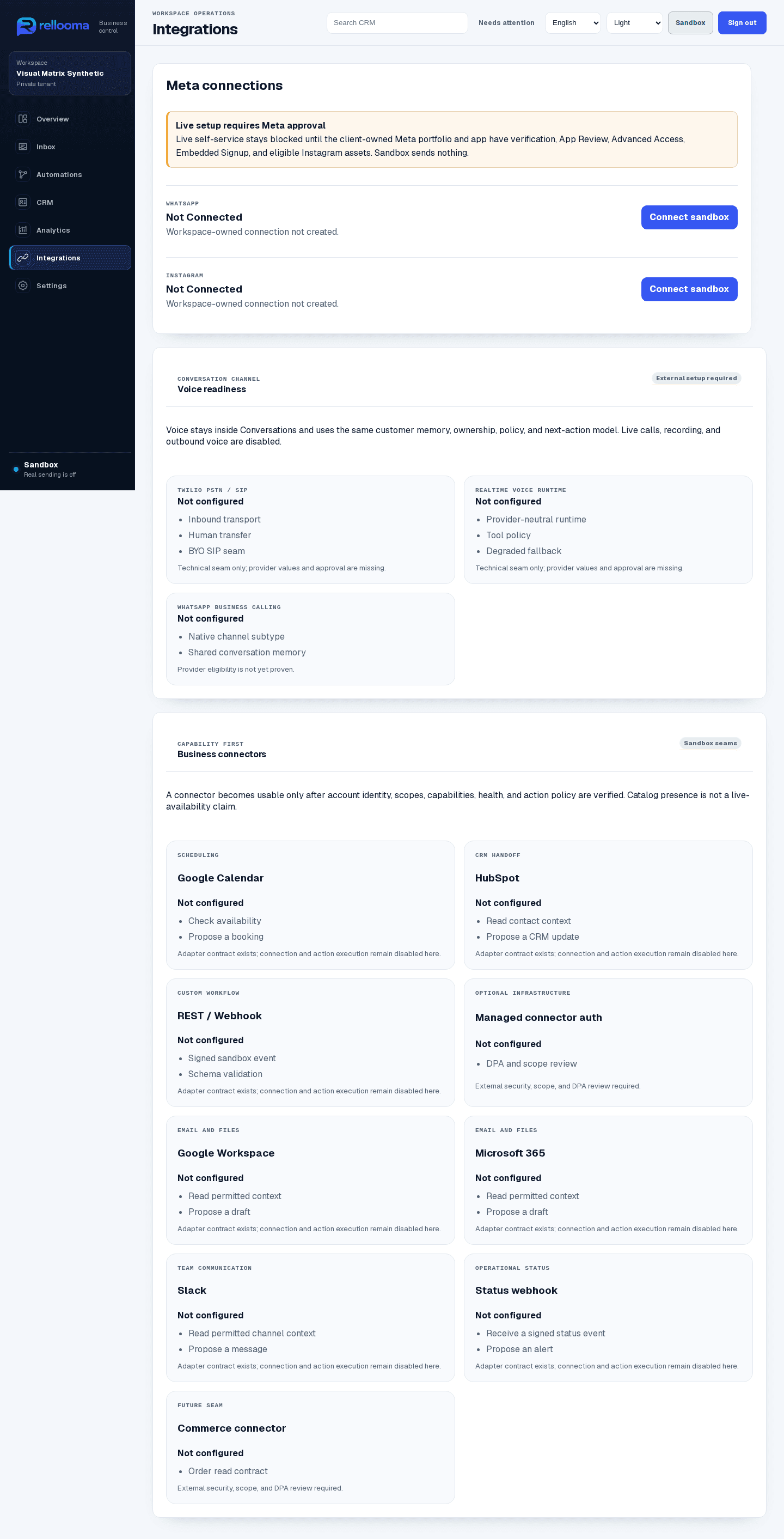
- 4Channels must be ready before live use
04 / Channel focus
WhatsApp and Instagram, connected to the same customer view.
Meet customers in the channels they already use while their context, owner and follow-up stay connected in Rellooma.
Integrations ↗Outcomes / Analytics
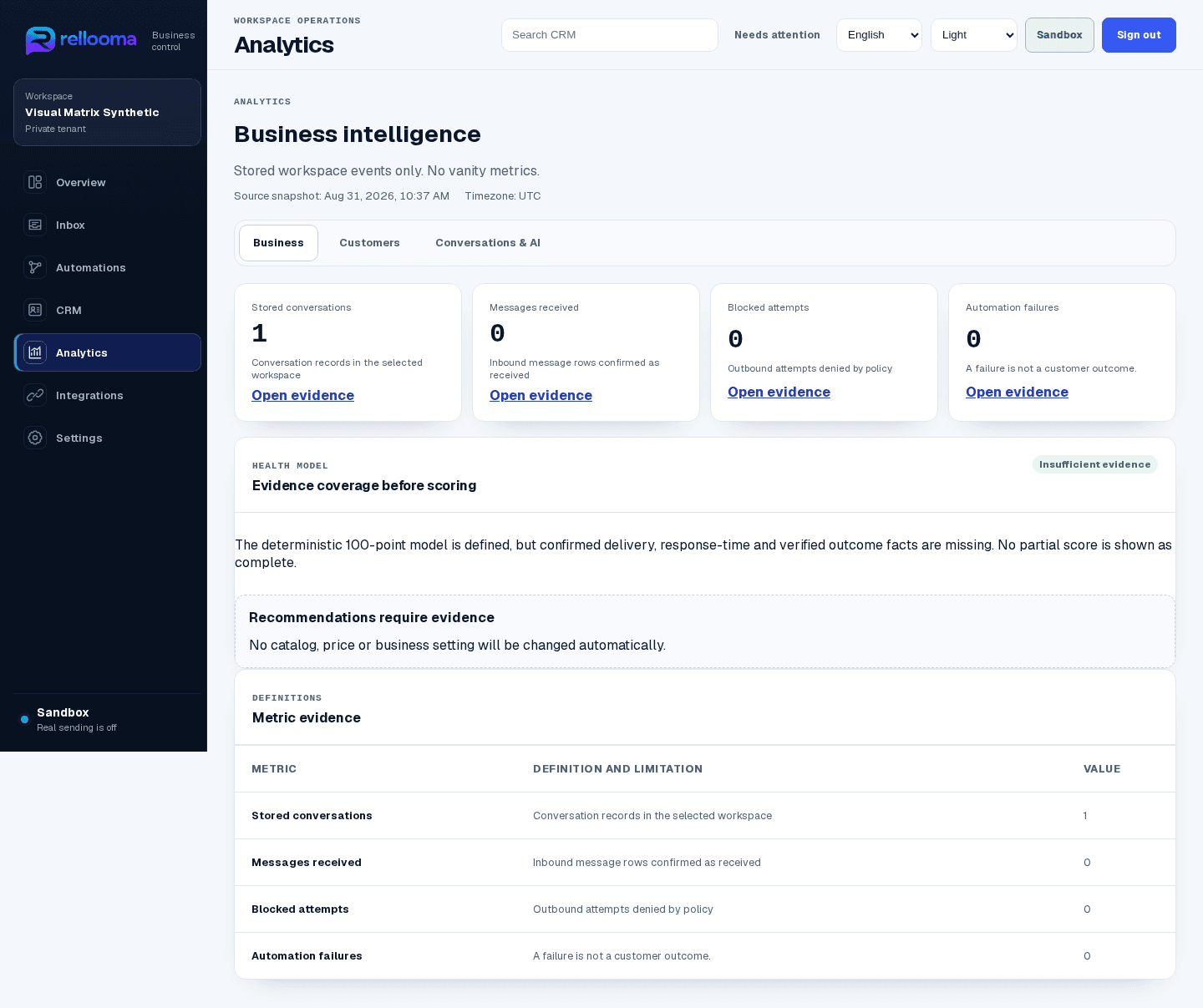
See which conversations need attention.
Review useful team totals, then return to the conversations behind them to understand what needs a follow-up.
01Conversation history stays with customer context
02Everyone can see who owns the next step
03Automation and human handoff stay easy to follow
Solutions
Start from the work your team actually handles.
See how Rellooma fits the questions, follow-ups and handoffs your team handles every day.
Why Rellooma
One accountable loop instead of four disconnected tools.
The difference is continuity: the message, customer memory, business rule and human decision stay connected from start to finish.
01WhatsApp + Instagram first
02Conversation-first CRM
03AI with human authority
04Human-controlled automation
Setup + Pricing Preview
Create the context first. Test before you go live.
Follow the same eight-stage setup path as the App. Review the proposed pricing and 7-day trial here; both are clearly marked as Preview.
Pricing is shown for review. Checkout and paid plan access are not active.
The proposed 7-day trial is shown as a Preview and is not active yet.
Pricing ↗- 1Welcome and workspace
- 2Business profile
- 3Languages and communication
- 4Knowledge, prices and claims
- 5AI mode and human control
- 6Connect eligible WhatsApp and Instagram channels
- 7Choose the first recipe
- 8Run a simulation and review readiness
05 / Trust boundary
Know what is ready. Know who decides.
See when a channel is ready, who owns the conversation and when a person needs to decide. Rellooma never presents unverified access or status as live.
Security ↗FAQ
Questions worth answering before activation
Can Rellooma send live messages now?
Not by default. Your Meta connection and business rules must be ready before live sending is enabled.
Does AI replace the team?
No. Low confidence, policy boundaries and explicit takeover keep humans in control.
How do I choose the right setup?
Start with your channels, team responsibilities and conversation volume. The Pricing page shows a clearly labelled draft for review, not an active checkout.
Where does account setup happen?
Login and account creation open directly on app.rellooma.com. Rellooma never asks you to enter App credentials on this marketing site.
Safe next step
Give every conversation a clear next step.
Create an account to open Rellooma, or explore the product first to see how conversations, customer context and human-controlled automation work together.
Create accountAccount access opens securely on app.rellooma.com.